CENSITRAC LAUNCH · SOW V2.0

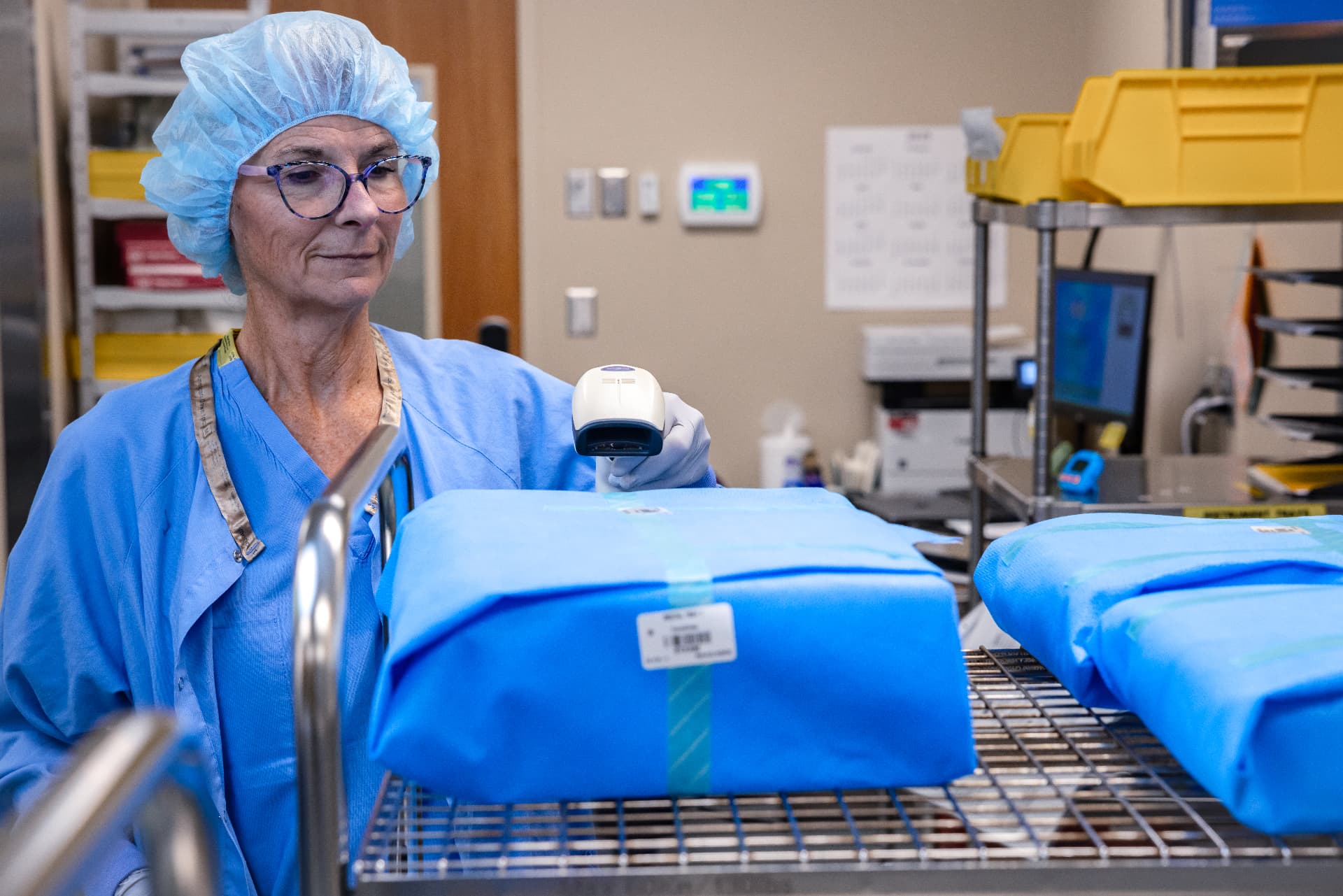
Load documentation is one of the most complex workflows in sterile processing, with cycle data, biological indicators, and compliance records to capture on every load. With CensiTrac's new load management workflow, every load is managed in one place, on one screen, so it's easier to get it right the first time.
Workflow aligned
AAMI ST79 & ST90
Sites running Censis
1,440++
Secure System Architecture
Censis has achieved HITRUST i1 certification for CensiTrac, an independent validation of the cybersecurity controls protecting customer data.
The Problem
Technicians document cycle, lot, expiration and biological indicator data while moving between multiple steps and screens. Every extra screen is another chance for something to be missed.
Load documentation is one of the most complex workflows in sterile processing, requiring technicians to navigate multiple steps and screens while keeping every record complete and accurate.
Cycle, lot, expiration and biological indicator data are entered by hand, which consumes valuable time and creates opportunities for documentation mistakes.
Resulting biological indicators interrupts a technician's current task, forcing them to click between screens or leave the workflow they are already working in.
New technicians face a steep learning curve, leading to longer training periods and inconsistent execution from one shift to the next.
Quality issues and missing documentation are often discovered after the fact, increasing audit risk, corrective action efforts and compliance burden.
Managers have limited visibility into documentation quality and workflow consistency, making it difficult to identify issues early and standardize processes.
See the Difference
Today, load documentation is spread across multiple screens and workflows. Walk through how the new load management workflow brings it onto one.
Documenting a load today
Cycle
Lot
Expiration
Biological indicator
Outside the workflow
Resulting a biological indicator pulls the technician out of the task they are already completing.
One streamlined workflow
Built-in validation helps ensure documentation is complete before the record is saved.
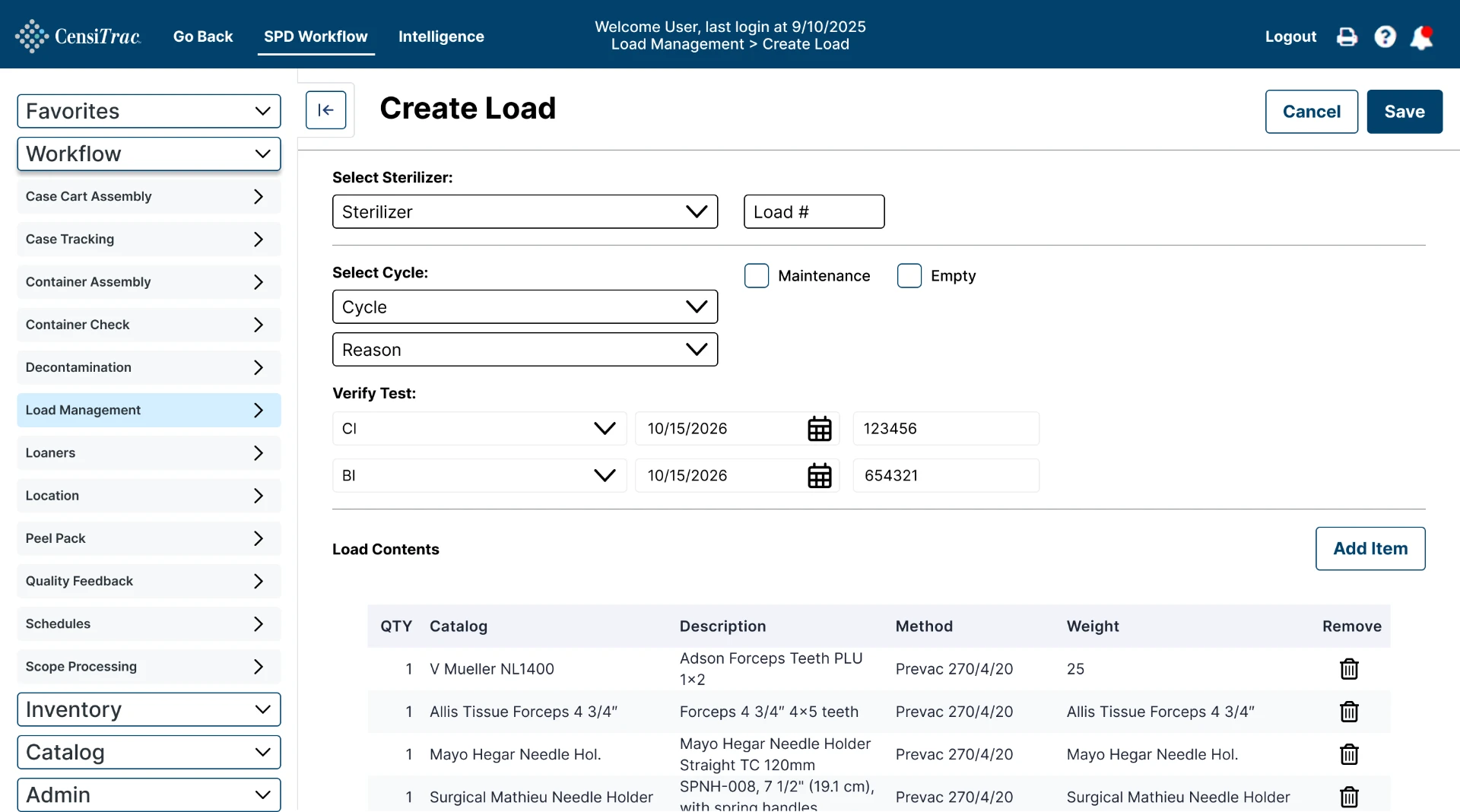
Documented on a single screen, in the flow of work.
Scroll to view →
Step 1 of 3
Every load sits in one list with its cycle parameters and results, so a technician sees what needs attention without searching.

What's New
CensiTrac's new load management workflow turns load documentation from a manual process into a simplified, standardized workflow that helps your team improve documentation quality, efficiency, and compliance confidence
Simplified Workflow
The entire documentation process happens in order on a single screen, so technicians are never guessing what comes next or hunting for the screen that holds the missing field.
Scroll to view →
Integrated Documentation
Biological indicator workflows are embedded directly into load documentation. Your team records the BI where they record the load, which removes the screen switching that can cause documentation errors.
Scroll to view →
Built-In Compliance
Required fields, validation rules, and quality checks identify documentation gaps while the record is still open. You catch the problem at the sterilizer instead of discovering it during a survey.
Scroll to view →
Smart Data Population
When your team scans items into the sterilizer, CensiTrac uses that scan to fill in load information based on your site and the specific machine, so technicians confirm what is already there instead of typing it again.
Scroll to view →
Standardization
One standardized workflow means the same load is documented the same way on every shift, at every sterilizer, in every facility, and leaders can finally see how well it is being done.
Scroll to view →
Why It's Different
Swipe to see all 5
Load documentation is simplified onto a single screen, reducing complexity and helping ensure required documentation is completed correctly.
What Customers Tell Us
Simplifying the load documentation process onto one screen reduces the chance of mistakes and missed steps, especially in large organizations.
Consolidating load and biological documentation onto a single screen reduces errors from screen switching and missed entries.
Locking down cycle parameters and pre-filling relevant fields helps staff select the correct cycle and reduces incorrect entries.
1,440++
Sites running Censis to track instruments and scopes, as of early 2026
40K+K+
Beds at the largest health system we serve; the smallest is a two-room surgery center
25++
Years focused on sterile processing, since 1999
24/7/365/7/365
Support from product specialists on call for critical issues
Product Brochure
Get the full picture of the new load management workflow, from the single-screen view to easy BI resulting, in one downloadable overview.
Download the Product BrochureBE AMONG THE FIRST
Tell us about your department and a Censis product specialist will walk you through it.
Not ready to talk yet?